

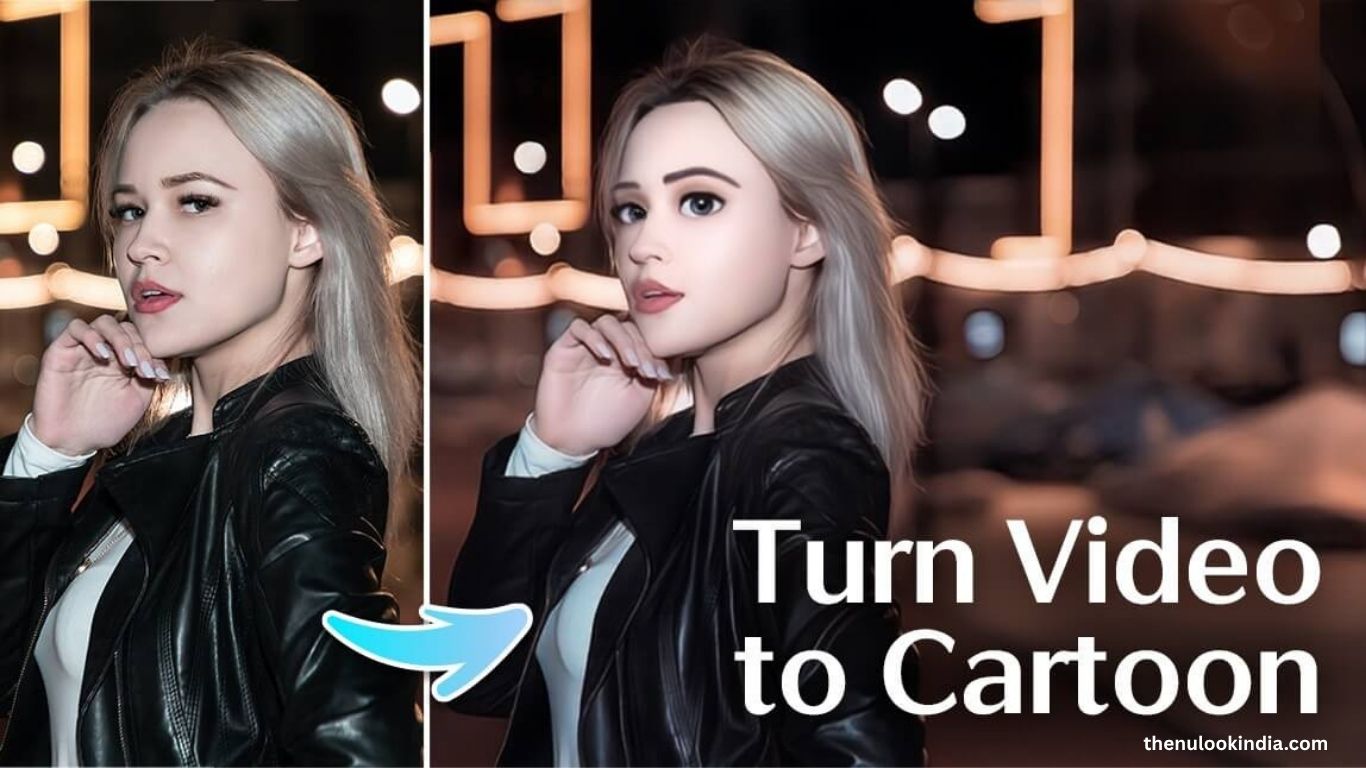
Transforming videos into cartoons is one of 2025’s most exciting creative trends, dominating social media, vlogs, and personal projects. Whether you’re crafting scroll-stopping Reels, TikTok clips, or unique animated content, video cartoonizer apps make it simple to give your footage a fun, animated twist.
This guide showcases the 10 best video cartoonizer apps for iOS, Android, desktop, and online use. Each app features AI-powered filters, cartoon effects, and intuitive tools to help you create professional, viral-worthy animations.
What Is a Video Cartoonizer App?
A video cartoonizer app uses AI and advanced editing tools to turn regular videos into animated creations. With filters inspired by anime, 3D cartoons, sketches, or comic books, these apps let you customize your video’s style with ease.
Ideal for beginners and pros alike, these tools deliver polished, professional results in minutes. Here are the top 10 apps to try in 2025.
Read more: What Color Are My Eyes? Best Apps to Test Your Eye Color
YouCam Video – Best for AI Cartoon Filters
Available: iOS | Rating: 4.8 | Price: Free; Premium $5.99/month or $23.99/year
YouCam Video offers 15+ AI-driven cartoon filters, from anime to comic styles, with real-time previews and AI subtitles.
Pros: Easy to use, wide filter range, fast rendering.
Cons: iOS only, some premium filters.
PowerDirector – Best Cross-Platform Cartoon Editor
Available: iOS, Android, Windows, Mac | Rating: 4.6 | Price: Free; Premium $59.99/year
PowerDirector blends pro editing tools with AI cartoon effects and animated layers for cinematic animations.
Pros: Multi-device support, advanced tools.
Cons: Steep learning curve, subscription locked.
Wondershare Filmora – Best for Versatile Cartoon Effects
Available: Windows, Mac, iOS, Android | Rating: 4.7 | Price: $29.99–$79.99
Filmora lets you adjust line thickness, color, and style for unique results.
Pros: Multi-platform, rich effect library.
Cons: Takes practice, premium cost.
AI Mirror – Best for 3D Cartoon Videos
Available: iOS, Android | Rating: 4.7 | Price: $2.99–$34.99
AI Mirror specializes in anime and 3D cartoon effects with a beginner-friendly interface.
Pros: High-quality 3D effects, easy use.
Cons: Longer render times, limited free access.
AI Lab by Wondershare – Best Online Cartoonizer
Available: Online | Price: From $9.99 for 3 minutes
A browser-based AI tool that cartoonizes videos without downloads.
Pros: Fast, easy, no installation.
Cons: Internet required, facial animation varies.
Image Upscaler – Best for HD Cartoon Videos
Available: Online | Price: $6–$29/month
Image Upscaler offers HD anime, sketch, and hand-drawn effects.
Pros: Crisp visuals, user-friendly.
Cons: Slow HD rendering, limited trial.
Meitu – Best for Mobile AI Animation
Available: iOS, Android | Rating: 4.8 | Price: $7.99–$39.99
Meitu delivers vibrant mobile filters with smooth social sharing.
Pros: Real-time effects, social-friendly.
Cons: Premium locked, slower processing.
Prequel – Best for Creative Templates
Available: iOS, Android | Rating: 4.8 | Price: $3.99–$6.99
Prequel includes comic and manga-style templates for Reels and Shorts.
Pros: Trendy templates, easy editing.
Cons: Limited video options, paid filters.
Comica – Best Free Cartoon Video App
Available: Android | Rating: 4.4 | Price: Free
Comica offers cartoon and sketch effects without watermarks.
Pros: Free, simple, no watermarks.
Cons: 10-minute limit, dated design.
ToonMe – Best for Cartoon Portraits & Videos
Available: iOS, Android | Rating: 4.7 | Price: Free; Premium $4.99/month
ToonMe blends portrait and video cartoon filters for fun social content.
Pros: Fast processing, playful effects.
Cons: Limited video tools, paywall access.
Comparison Table: Top Video Cartoonizer Apps of 2025
| App | Rating (iOS/Android) | Video Cartoon Quality | Platforms | Pricing |
|---|---|---|---|---|
| YouCam Video | 4.8 (iOS) | ⭐⭐⭐⭐⭐ | iOS | Free; $5.99/month, $23.99/year |
| PowerDirector | 4.6 / 4.5 | ⭐⭐⭐⭐ | iOS, Android, Win, Mac | Free; $59.99/year |
| Wondershare Filmora | 4.7 / 4.6 | ⭐⭐⭐⭐⭐ | Win, Mac, iOS, Android, Online | $29.99–$79.99 |
| AI Mirror | 4.7 / 4.4 | ⭐⭐⭐⭐ | iOS, Android | $2.99–$34.99 |
| AI Lab by Wondershare | Online | ⭐⭐⭐⭐ | Online | $9.99–$539 |
| Image Upscaler | Online | ⭐⭐⭐⭐ | Online | $6–$29/month |
| Meitu | 4.8 / 4.5 | ⭐⭐⭐⭐ | iOS, Android | $7.99–$39.99 |
| Prequel | 4.8 / 4.3 | ⭐⭐⭐⭐ | iOS, Android | $3.99–$6.99/week |
| Comica | 4.4 (Android) | ⭐⭐⭐ | Android | Free |
| ToonMe | 4.7 / 4.3 | ⭐⭐⭐⭐ | iOS, Android | Free; $4.99/month |
How to Cartoonize a Video Using an AI Cartoonizer App
How to Turn Your Video into a Cartoon in 2025 (Step-by-Step Guide)
Turning your videos into cartoons is easier than ever with AI-powered apps like YouCam Video. Follow these simple steps to create animated content ready for TikTok, Instagram, or YouTube.
Step-by-Step Process
- Download the App:
Install a trusted cartoonizer such as YouCam Video from the App Store or Google Play. - Upload Your Video:
Open the app, tap the “+” icon, and choose a video from your gallery—or record a new one directly. - Apply Cartoon Effects:
Go to the AI Effects or Cartoon tab, pick a style like anime or sketch, and preview the effect instantly. - Customize Your Video:
Add text, stickers, or creative overlays to personalize your animated clip. - Save and Share:
Adjust video quality, save your creation, and post it instantly to TikTok, Instagram Reels, or YouTube Shorts.
Creative Cartoon Video Ideas for 2025
Cartoon videos are trending across all major platforms. Here are some viral ideas to inspire your next post:
- CartoonYourselfChallenge Turn yourself into a cartoon avatar using YouCam Video or ToonMe, then sync it with a trending audio clip for extra reach.
- Pet Cartoon Craze (#CartoonPetVibes)
Use AI Mirror or Prequel to turn your pets into lovable animated characters and add witty captions for engagement. - Animated Vlogs
Transform daily vlogs into colorful cartoon stories with Filmora or PowerDirector to stand out in the feed. - Comic-Style Q&As
Answer audience questions using Prequel or YouCam Video, adding comic bubbles and stylized filters for a fun twist. - Reaction Videos with Cartoon Filters
React to viral content using a cartoon filter for a playful, entertaining vibe—perfect for TikTok and YouTube Shorts.
💡 Pro Tip: Use trending hashtags like #ToonMeChallenge, #CartoonVibes, and #AIAnimation to boost visibility and reach a wider audience.
Frequently Asked Questions
What is the best app to turn videos into cartoons?
Apps like YouCam Video, Filmora, and PowerDirector are top-rated for their AI-powered cartoon filters, smooth editing tools, and high-quality results.
Can I cartoonize a video for free?
Yes. Free apps such as Comica and ToonMe offer basic cartoon effects without watermarks. However, premium versions provide advanced filters and HD exports.
Do cartoonizer apps work on both iPhone and Android?
Most popular apps, including YouCam Video, Meitu, and AI Mirror, support both iOS and Android devices, ensuring easy access for all users.
How long does it take to turn a video into a cartoon?
It typically takes 1–5 minutes, depending on video length, app speed, and chosen effect. AI-based tools like YouCam Video render results almost instantly.
Can I use cartoonized videos for YouTube or TikTok?
Absolutely. Many creators use cartoonized clips for Reels, Shorts, and TikTok trends to boost engagement and stand out from standard video formats.
Do these apps support 3D cartoon effects?
Yes. Tools such as AI Mirror and Filmora include 3D cartoon and anime filters for a more dynamic, professional look.
Is an internet connection required for cartoonizing videos?
Some apps like AI Lab by Wondershare need internet access, while others like YouCam Video and PowerDirector work offline once downloaded.
Conclusion
Turning videos into cartoons in 2025 is one of the most exciting ways to express creativity online. With AI-powered apps like YouCam Video, Filmora, and PowerDirector, anyone can transform ordinary clips into eye-catching animated content in minutes. Whether you’re creating fun social media posts, animated vlogs, or artistic projects, these tools make the process effortless and enjoyable.Experiment with filters, customize your style, and share your creations across TikTok, Instagram, and YouTube to stand out in today’s fast-moving digital world.
