

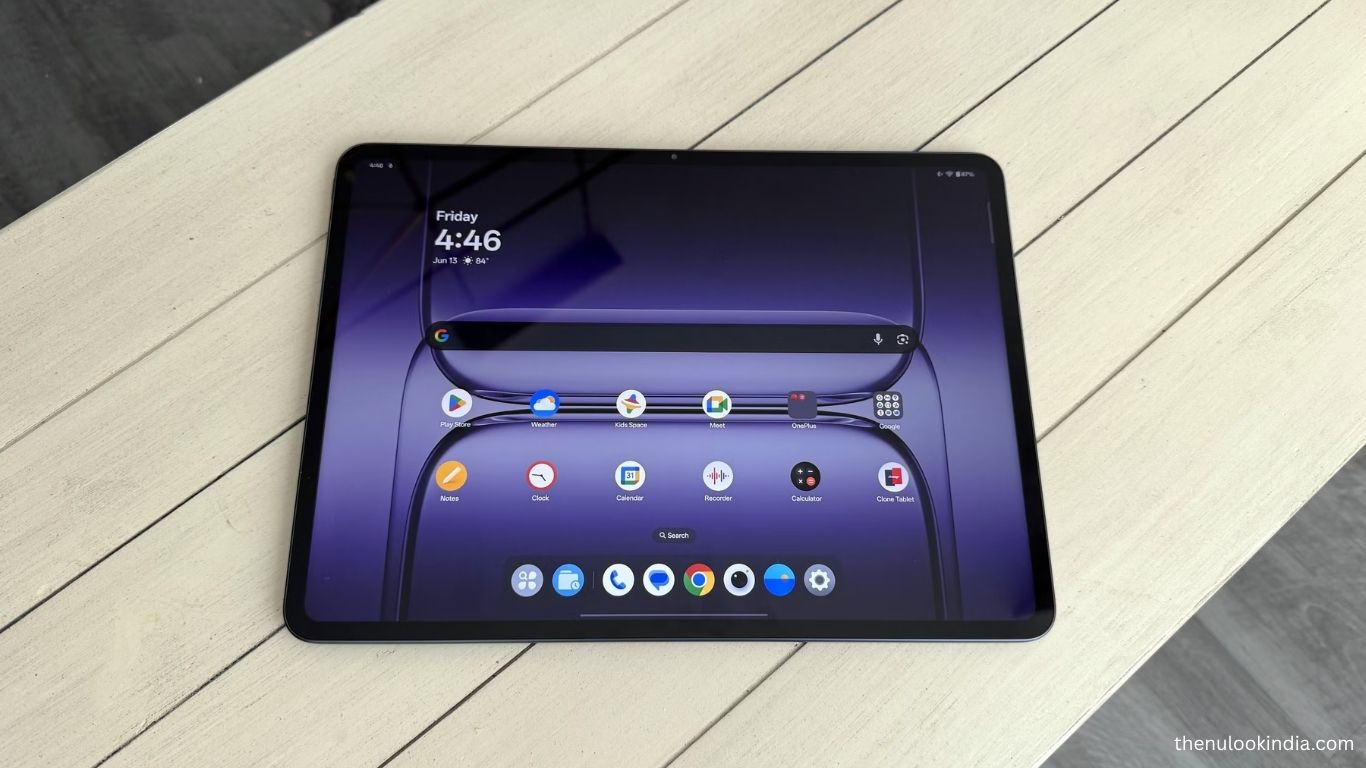
The Android tablet scene has grown from oversized phones into true productivity machines. Premium designs, powerful hardware, and accessories like keyboards and styluses have made them serious laptop alternatives. The OnePlus Pad 3 is the latest proof—delivering performance and versatility in a sleek form factor.
OnePlus Pad 3: At a Glance
Far from a minor upgrade, the OnePlus Pad 3 redefines what a tablet can do. With a huge high-res display, flagship Snapdragon power, and a smart keyboard that turns it into a portable workstation, this tablet is built for both work and play.
Key Specifications:
- Display: 13.2″ IPS LCD, 2.9K (2400 × 3392), 144Hz, Dolby Vision
- Processor: Snapdragon 8 Gen 3 (Elite Edition)
- Memory & Storage: 12GB + 256GB / 16GB + 512GB
- Battery: 12,140mAh, 80W fast charging
- Software: OxygenOS 15 (Android 15)
- Audio: 8-speaker Dolby Atmos system
- Extras: AI enhancements, Smart Keyboard support, Remote PC control
A Design That Feels Like a Laptop
The OnePlus Pad 3 looks more like a premium ultrabook than a tablet. Slim bezels, a matte aluminum build, and the magnetic Smart Keyboard give it a sleek, professional feel. At just 675g (1.17kg with keyboard), it’s light enough for travel yet solid for daily work.
The Smart Keyboard is a highlight—magnetically attached, with a smooth trackpad, comfortable key travel, and even NFC for instant file sharing. It’s easily one of the best tablet keyboards available, rivaling Apple’s Magic Keyboard.
A Display Built for Work and Play
The 13.2-inch 2.9K screen is the centerpiece, offering 144Hz refresh rate, 98% DCI-P3 coverage, and 900 nits brightness. Whether you’re streaming Netflix, gaming, or multitasking, visuals are crisp and vibrant. Its 7:5 aspect ratio adds extra vertical space—perfect for reading, editing, or web browsing.
Performance That Doesn’t Quit
With the Snapdragon 8 Gen 3 Elite, the Pad 3 handles everything from gaming to 20+ Chrome tabs without breaking a sweat. The 16GB RAM option is more than most will need, but power users will value the future-proofing.
Battery That Lasts
A 12,140mAh battery keeps the tablet going for a full day of heavy use—or up to two days of lighter browsing and streaming. And when you need a recharge, 80W SUPERVOOC charging powers it back up in under an hour.
OxygenOS 15: Smarter Than Ever
Running on Android 15 with OxygenOS 15, the experience is fluid and intuitive. The new AI Suite (powered by Google Gemini) brings genuinely useful features:
- Circle to Search for instant lookups
- Live transcription & translation
- AI writing and summaries
- Reliable voice commands
These tools aren’t just flashy add-ons—they make the Pad 3 a true productivity powerhouse.
Laptop-Like Features Without the Bulk
The Smart Keyboard turns the OnePlus Pad 3 into a true laptop alternative. Its multi-touch trackpad supports smooth gestures, while the hinge adjusts effortlessly between 110° and 165° for flexible viewing angles.
You also get Remote PC Control, which lets you access your Windows or Mac desktop directly from the tablet. There’s a bit of input lag, but it’s still great for quick edits or checking files on the go.
Seamless Ecosystem Integration
OnePlus nails cross-device connectivity with the O+ Connect app. You can:
Mirror your phone’s screen
Drag and drop files between devices
Sync notifications across Android, Windows, and macOS
This kind of polished ecosystem support is rare in the Android tablet world.
Pricing That Undercuts the Competition
One of the Pad 3’s strongest selling points is its price:
- €599 / £529 (12GB + 256GB)
- €699 / £599 (16GB + 512GB)
Pre-orders even include the Smart Keyboard (worth €169) for free. When compared to the Samsung Galaxy Tab S10 Ultra or iPad Pro 13, it’s an unbeatable value.
Final Verdict: Who Should Buy It?
The OnePlus Pad 3 is one of the most exciting Android tablets in years.
✅ Best for:
- Professionals needing a portable work machine
- Students juggling notes, classes, and multitasking
- Media lovers who want a big, bright display
❌ Skip it if:
- You rely on desktop-grade creative apps like Photoshop
- You need an ultra-light device for frequent travel
Rating: ★★★★☆ (4.5/5) – A near-perfect balance of power, versatility, and price.
Frequently Asked Questions
Is the OnePlus Pad 3 good for productivity?
Yes. With the Smart Keyboard, powerful Snapdragon 8 Gen 3 chip, and OxygenOS 15 features like split-screen and Remote PC Control, it works great as a laptop alternative.
Does the OnePlus Pad 3 support stylus input?
Yes. The tablet supports a stylus (sold separately), making it useful for note-taking, sketching, and creative tasks.
How long does the battery last on the OnePlus Pad 3?
The 12,140mAh battery can easily last a full day of heavy use, and up to two days with lighter browsing and streaming.
How fast does the OnePlus Pad 3 charge?
With 80W SUPERVOOC charging, the tablet goes from 0 to 100% in under an hour.
Is the OnePlus Pad 3 better than an iPad Pro?
It depends. The iPad Pro still leads in app ecosystem and creative tools, but the OnePlus Pad 3 offers similar performance at a much lower price.
What storage and RAM options are available?
Two versions: 12GB RAM + 256GB storage or 16GB RAM + 512GB storage.
How much does the OnePlus Pad 3 cost?
Pricing starts at €599 / £529 for the base model, and €699 / £599 for the higher variant. Pre-orders also include the Smart Keyboard for free.
Conclusion
OnePlus Pad 3 proves that Android tablets can be more than oversized phones—they can be true productivity machines. With its laptop-like design, vibrant display, flagship performance, and surprisingly competitive pricing, it stands out as one of the best tablet options in 2025. Whether you’re a professional, student, or media enthusiast, the Pad 3 delivers power and versatility without the premium price tag. While it’s not a full desktop replacement for heavy creatives, it nails the balance of work, play, and value.
