

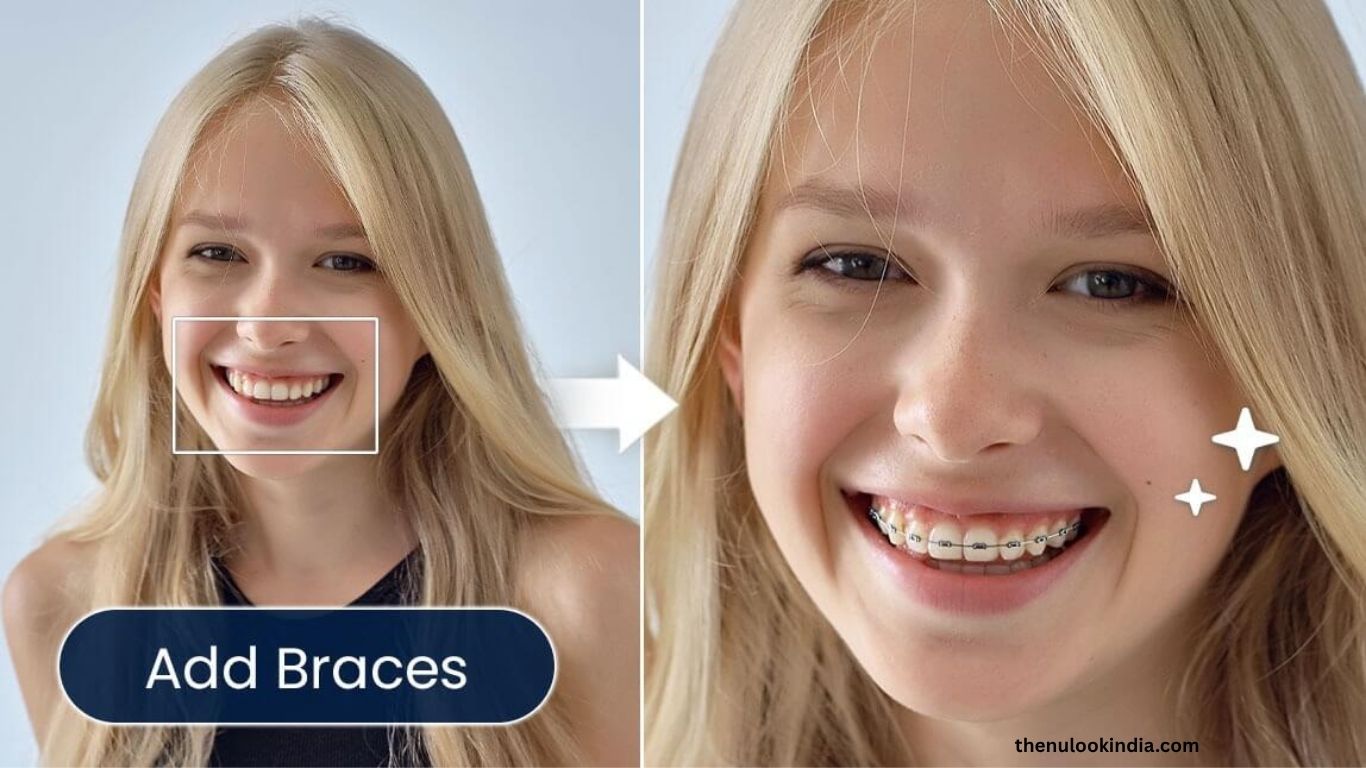
Curious to see how you’d look with braces? Thanks to today’s technology, you don’t need to visit an orthodontist to get a sneak peek. Braces filters — available through online tools and mobile apps — let you virtually try on braces and see how they’d change your smile. Whether you’re exploring orthodontic options, planning a fun social media post, or simply curious, these AI-powered filters make it easy and entertaining to experiment with your look. In this guide, we’ll cover the best braces filters, how they work, and why they’ve become so popular.
What Are Braces Filters?
Braces filters are AI-driven tools that digitally add realistic braces to your teeth in photos. They can simulate different styles and materials, from classic metal to ceramic or colorful brackets. Available on both websites and mobile apps, these filters let you upload or take a photo, apply the effect, and preview your new smile within seconds. Some even include extra features like teeth whitening or smile enhancement for a more polished result.
Read more: AI Perm Filter: What Would I Look Like with a Perm?
People love using braces filters for several reasons:
- Orthodontic Preview: See how braces might look before starting treatment.
- Social Media Fun: Create eye-catching, shareable posts for Instagram, Snapchat, or TikTok.
- Creative Expression: Customize colors and styles to reflect your personality.
Best Online Braces Filters
If you’d rather skip app downloads, these online tools make it simple to try braces virtually:
Fotor Braces Filter
Fotor offers a free, easy-to-use online braces filter that adds trendy fake braces to your smile in seconds. Upload a selfie, highlight your teeth, and enter a prompt like “add silver braces.” You can also enhance your photo with teeth whitening and beauty effects, making Fotor perfect for creating fun and realistic images.
MyEdit
MyEdit is an advanced online photo editor featuring an AI Replace tool that delivers highly realistic braces effects. Just upload your photo, select your teeth, and type a command like “add blue braces.” The AI blends the braces naturally, offering an accurate and professional-looking preview — all without installing any software.
OpenArt
OpenArt’s Inpainting tool features a realistic braces filter that lets you transform your smile with lifelike results. Simply upload a high-quality photo, use the Smart Select tool to highlight your teeth, and choose your preferred braces style. The AI processes your image in seconds, and you can fine-tune the results for a more natural appearance. OpenArt is ideal for both personal use and creative projects, such as digital storytelling or marketing visuals.
Top Mobile Apps for Braces Filters
If you love editing photos on the go, mobile apps offer an easy and flexible way to try on braces. Here are some of the best-rated apps to experiment with your smile:
PhotoDirector
PhotoDirector is a beginner-friendly photo editor with an AI Replace feature that makes adding braces effortless. Simply download the app on iOS or Android, open GenAI Studio, upload your photo, and use the Replace tool with a prompt like “add metal braces.” The app also includes AI Removal to take braces off, plus tools like AI Enhance for better image quality. It’s a versatile pick for realistic simulations and creative edits.
YouCam Perfect
YouCam Perfect is known for its selfie enhancement features, including a braces filter that lets you preview various styles. You can experiment with different brace types to see which fits your smile best. Its intuitive interface makes it easy to apply filters and instantly share results on social media — perfect for fun, trendy edits.
Brace Yourself
Exclusive to iOS, Brace Yourself offers up to 30 different brace styles you can try. Take a new photo or upload one, pick your favorite design, adjust size and color, and save your image. It’s especially useful for anyone considering braces, as it provides a lifelike preview. While customization options are somewhat limited, it remains a solid and straightforward choice.
BraceMate
BraceMate is designed for brace enthusiasts who want more creative control. It offers a wide range of colors and patterns, letting you mix and match styles before an orthodontist visit. Beyond visuals, the app includes braces care tips and maintenance advice, making it practical for current wearers too.
How to Use a Braces Filter
Using a braces filter is simple — whether you’re online or in an app:
- Choose a Platform: Pick an online tool (like Fotor or MyEdit) or a mobile app (like PhotoDirector or Brace Yourself).
- Upload or Take a Photo: Use a clear, high-quality selfie showing your teeth.
- Select the Teeth Area: Brush over or highlight your teeth so the AI can apply the effect accurately.
- Apply the Braces: Choose your style (metal, ceramic, colorful) or enter a prompt like “add gold braces.”
- Refine the Look: Adjust the size, position, or transparency for a natural fit.
- Save and Share: Download your image or post it directly to social media.
💡 Pro Tip: For realistic results, use a well-lit photo and make careful selections. Some apps, like PhotoDirector, let you fine-tune the braces manually.
Benefits of Using Braces Filters
Braces filters go beyond entertainment — they can actually be useful:
- Informed Decision-Making: See how braces look before committing to treatment.
- Budget-Friendly: Most filters are free or low-cost, saving you time and money.
- Creative Fun: Try colorful or quirky braces for playful photo edits.
- Realistic Previews: Advanced AI ensures the braces blend naturally with your teeth.
Limitations to Consider
While braces filters are impressive, keep these factors in mind:
- Varying Realism: Some filters may not align perfectly with complex smiles or angles.
- Static Images Only: Most tools don’t work with videos, though Snapchat offers real-time AR filters.
- Premium Features: Certain advanced effects may require a subscription.
Tips for the Best Results
- Use a bright, front-facing photo with a clear smile.
- Try multiple styles to find your favorite look.
- Check app reviews for reliability and minimal ads.
- Share results with your orthodontist for professional input.
The Social Media Trend
Braces filters have exploded in popularity on social platforms, especially Snapchat, where AR lenses let users try on braces live. Across X (formerly Twitter) and TikTok, users share creative before-and-after posts using hashtags like #BracesFilter and #SmileMakeover. The trend’s mix of curiosity, humor, and creativity keeps it growing — proving that even digital braces can make you smile.
Frequently Asked Questions
Are braces filters accurate enough to show how I’ll really look with braces?
Braces filters provide a close visual approximation using AI, but they’re not 100% accurate. They’re great for getting a general idea of how braces might look, but the final result may differ based on your actual dental structure and orthodontic treatment.
Do I need to download an app to try braces filters?
Not necessarily. Many online tools like Fotor, MyEdit, and OpenArt let you try braces filters directly from your browser—no downloads required. However, apps like PhotoDirector and YouCam Perfect offer more customization and editing features.
Are braces filters free to use?
Most platforms offer basic braces filters for free, but some advanced tools or premium styles may require a paid subscription. It’s best to check pricing details before editing.
Can I use braces filters on videos?
Most braces filters work on still photos only. However, apps like Snapchat offer real-time AR braces filters that can be used in videos or live selfies.
Are braces filters safe and private?
Yes, as long as you use reputable platforms. Trusted apps and websites like Fotor, MyEdit, and YouCam Perfect use secure servers and don’t store personal photos without consent. Always review the app’s privacy policy before uploading your images.
Conclusion
Braces filters are a fun and practical way to preview how braces might transform your smile — no orthodontist visit required. With the help of AI, these tools create realistic simulations that let you explore different brace styles, colors, and materials in seconds. Whether you’re considering orthodontic treatment, experimenting with your look, or just joining the latest social media trend, braces filters make the process simple, creative, and enjoyable. From online tools like Fotor and MyEdit to mobile apps such as PhotoDirector and YouCam Perfect, there’s a perfect option for every user looking to see their future smile.
